Showing posts with label facebook. Show all posts
Showing posts with label facebook. Show all posts
Sunday, April 16, 2017
Facebook Shortcuts
Facebook Shortcuts

Facebook is the most used social networking website by many internet users. Everyone knows Facebook, but not everyone knows Facebook very well. We can use Facebook more effectively if we know these very useful shortcuts as well as tips and tricks. Everyone wants to use some shortcuts to post status and comments with unique features. Facebook tricks will help you take charge of your Facebook activity. These tricks and tools will give help take your Facebook experience to the next level.
Here are some Facebook tricks and shortcuts for Google Chrome, Firefox and Internet Explorer.
FACEBOOK SHORTCUTS FOR GOOGLE CHROME:
- ALT + 1 Ñ View your news feed
- ALT + 2 Ñ View your own profile
- ALT + 3 Ñ View pop-up of friend requests
- ALT + 4 Ñ View pop-up of messages
- ALT + 5 Ñ View pop-up of notifications
- ALT + 6 Ñ View account setting
- ALT + 7 Ñ View privacy setting
- ALT + 8 Ñ View FacebookÕs own profile
- ALT + 9 Ñ Read latest terms of service agreement
- ALT +? Ñ Search
- ALT + m Ñ Compose a new message
FACEBOOK SHORTCUTS FOR FIREFOX:
- SHIFT + ALT + 1 Ñ View your news feed
- SHIFT + ALT + 2 Ñ View your own profile
- SHIFT + ALT + 3 Ñ View pop-up of friend requests
- SHIFT + ALT + 4 Ñ View pop-up of messages
- SHIFT + ALT + 5 Ñ View pop-up of notifications
- SHIFT + ALT + 6 Ñ View account setting
- SHIFT + ALT + 7 Ñ View privacy setting
- SHIFT + ALT + 8 Ñ View FacebookÕs own profile
- SHIFT + ALT + 9 Ñ Read latest terms of service agreement
- SHIFT + ALT + 0 Ñ Open Facebook help center
- SHIFT + ALT +? Ñ Search
- SHIFT + ALT + m Ñ Compose a new message
Go to link Download

Sunday, March 5, 2017
How To Make a Single Name Facebook
How To Make a Single Name Facebook

How To Make a Single Name Facebook
How To Make a Single Name Facebook by MastiComputer
Go to link Download
Sunday, January 15, 2017
Facebook Training in Urdu
Facebook Training in Urdu

Facebook Class 1 by Masti Computer by MastiComputer
Facebook Class 2 By Masti Computer by MastiComputer
Facebook Class 3 By Masti Computer by MastiComputer
Facebook Class 4 By Masti Computer by MastiComputer
Facebook Class 5 By Masti Computer by MastiComputer
Facebook Class 6 By Masti Computer by MastiComputer
Go to link Download
Saturday, January 7, 2017
Add Mini Sliding Facebook Like Box For Blogger Blog By Masti Computer
Add Mini Sliding Facebook Like Box For Blogger Blog By Masti Computer
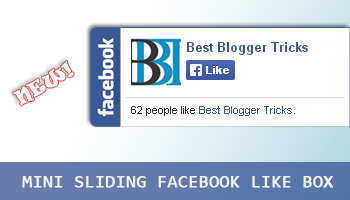
Are you looking for a way to promote your Facebook fan page received?Today I give you one piece to increase your Facebook likes.Statistics add Facebook like box perched on your blog or website.Widget remain in a constant on the right side of your website mode.When you hover over the blue s Facebook like box will then dragAnd be using jQuery. As you know, required social media back contactTo increase page rank and maintain the health of the site. So keep in mind that I put thisPiece and Im sure it will increase Facebook likes. Ive shared a floatingFacebook like Facebook fund such as Popup Fund and widgets for blogger swamp,but I flattererSharing a miniature version of Facebook, such as a floating box. Im sure you will like it!.Add Mini Sliding Facebook Like Box For Blogger Blog By Masti Computer.
Add Mini Sliding Facebook Like Box For Blogger Blog?
Follows Steps.
1 : Login to Blogger Account.
2 :Go to Layout Tab.
 |
| Step -1: |
3 : Click on Add a Gadget.
 |
| Step-2: |
4 : Then Scroll down and select widget type as HTML/JavaScript.
5 :Paste the following Code inside it.
 |
| Step-3: |
<script type="text/javascript">
//<!--
$(document).ready(function() {$(".bbtmini").hover(function() {$(this).stop().animate({right: "0"}, "medium");}, function() {$(this).stop().animate({right: "-250"}, "medium");}, 500);});
//-->
</script>
<style type="text/css">
.bbtmini{background: url("https://blogger.googleusercontent.com/img/b/R29vZ2xl/AVvXsEjvX38Sf2gv3jFc_GrqG5xW_cnGlT09sTQ_jIvvni3nwxrYL1cwJxQd13FBMbnUzpeVU9I6CDfDeG04-HWyclLBh6xFaiCgMxb5KwZAniyU2k2vPvakeiInWSiDIfrQzmx6F5DejhvyzUtm/s1600/FB-sliding-widgets-HTD-100px.png") no-repeat scroll left center transparent !important;display: block;float: right;height: 100px;padding: 0 5px 0 30px;width: 245px;z-index: 99999;position:fixed;right:-250px;top:20%;}
.bbtmini div{border:none;position:relative;display:block;}
.bbtmini span{bottom: 12px;font: 8px "lucida grande",tahoma,verdana,arial,sans-serif;position: absolute;right: 6px;text-align: right;z-index: 99999;}
.bbtmini span a{color: #808080;text-decoration:none;}
.bbtmini span a:hover{text-decoration:underline;}
</style>
<div class="bbtmini" style="right: -250px;">
<div>
<iframe src="http://www.facebook.com/plugins/likebox.php?href=http%3A%2F%2Ffacebook.com%2FMastiComputer&width=230&colorscheme=light&show_faces=true& connections=9&stream=false&header=false&height=100" scrolling="no" frameborder="0" style="border: medium none; overflow: hidden; height: 100px; width: 230px;background:#fff;"></iframe>
</div>
</div>
6 :Just replace MastiComputer with your Facebook username.
7:Hit Save Button and View Blog.
Go to link Download
Tuesday, January 3, 2017
How To Save Your Facebook Account From Hackers
How To Save Your Facebook Account From Hackers

Watch Video and Share With Your Friends.
How To Save Your Facebook Account From Hackers by MastiComputer
Go to link Download
Monday, November 21, 2016
facebook Style Picture editing Photoshop tutorial
facebook Style Picture editing Photoshop tutorial
facebook Style Picture editing Photoshop tutorial

Asalam u Alykum in this Photoshop Urdu Tutorial we will learn that how you can do Picture Editing like facebook style images which people use for there profile images and Facebook cover. this is very easy to follow tutorial and you can do this with little hard work. once you do make these kind of picture editing you can be more better in doing Photoshop picture effects inshallah. So lets get started watch this Photoshop Urdu Tutorial and start learning now. for more Photoshop tutorials please visit here and don,t forget to subscribe us on youtube.
Go to link Download
Saturday, November 12, 2016
How to Use Facebook On Desktop
How to Use Facebook On Desktop

By Using this Trick you will easily Use Facebook on your Desktop No Need to Login in Browser.Do Your Private Work in Browser and Facebook Will Be On Desktop All time with you Updating you Notifying you etc.Facebook has announced an open flow technology of the API but the company also launched a desktop application that has been built with Adobe AIR as a way to demonstrate the kind of thing that allows the new technology and More Computer Trips&Tricks,Live Tv ,Free Game Like Our Facebook Page.
Watch Video and Share With Your Firends.
How to Use Facebook On Desktop by tarkanews
Go to link Download
Thursday, November 3, 2016
How to Change Facebook Theme Masti computer
How to Change Facebook Theme Masti computer

How to Change Facebook Theme(Masti computer) by MastiComputer
Go to link Download
Tuesday, October 11, 2016
Unblock Any Website YOUTUBE FACEBOOK For Free
Unblock Any Website YOUTUBE FACEBOOK For Free

how do i get on blocked websites
There are many software and tricks which can be used for accessing Youtube and other blocked websites in Any Country. Mostly they are Proxy software which hide your IP. But sometimes, security issues arise while using a proxy software; they may transfer your personal data to their servers. But the softwares which is shared here is the best among all and it secures everything for you. It doesnt show your identity to anyone. So this is the best solution for using website when it is blocked. Im using it myself and it is recommended to you to.
Download And Enjoy Please Share This website
- Download Ultra Surf
- Download Freegate
- Download HotspotShield
Go to link Download
Monday, October 10, 2016
Create an Empty Name invisible Facebook Profile
Create an Empty Name invisible Facebook Profile

Note: IF you have changed your name last 60 days or changed the name manytimes and crossed the limit then you will be unable to create an invisible/empty Facebook account name.To Do this you should create a Facebook account
- 1st of all you have to download and install vpngate
- 2nd open vpn gate and select an Indonesian ip address
- 3rd verify that you have successfully changed you ip by going to www.whatismyipaddress.com
- 4th clean browser cookies & history and log in to facebook go to setting change your language to Bahasa Indonesia.
- 5th Click on edit name first remove your last name and then copy name below k???k
- Now remove both k letters from this
- Give your password save or hit enter button
- Again change your language to default (English us)
Watch Video Online In Urdu&Hindi
Go to link Download
Wednesday, October 5, 2016
Cara Melihat Teman Yang Berkunjung ke Facebook Anda
Cara Melihat Teman Yang Berkunjung ke Facebook Anda
Cara melihat siapa saja yang berkunjung ke Facebook Anda. Mungkin anda penasaran ingin atau tahu siapa sih yang sering berkunjunng ke akun Facebook anda? Jawabannya ada disini. Cara melihat daftar teman yang sering berkunjung ke Facebook. Dengan tahu siapa saja yang sering melihat & berkunjung ke Facebook
Cara melihat teman yang berkunjung ke Facebook:
- Silakan login dulu ke FB anda.
- Tulis saja My Top Fans di kotak search FB atau masuk ke https://apps.facebook.com/mytopfans/
- Setelah itu pilih salah satu tombol yang anda inginkan
 |
| melihat pengunjung FB |
- Tunggu loadingnya dan akan muncul nama teman yang membuka profil Facebook anda.

Itu tada Cara Melihat Daftar Teman Yang Berkunjung ke Facebook Anda, salam hangat !
Go to link Download
Subscribe to:
Posts (Atom)